
Key Takeaways
- HIPAA-compliant office setup rests on physical safeguards — who can reach your records, your devices, and your space — and most of those decisions get made before your first patient.
- Renting inside a multi-tenant building raises questions a standalone office never faces. Ask them before signing, not after.
- Documentation is part of compliance. A safeguard you implemented but never wrote down is difficult to demonstrate.
HIPAA-Compliant Office Setup: Where Physical Safeguards Actually Live
HIPAA-compliant office setup gets discussed almost entirely in software terms — encryption, access logs, secure messaging. Software matters, and it’s also where small practices in rented space have the fewest gaps. The gaps sit in the physical layer.
The HHS summary of the Security Rule describes physical safeguards covering facility access controls, workstation use and security, and device and media controls. Translated into a working practice, four questions: who can enter your space, what they can see once inside, where your devices sit, and what happens to information when it leaves.
None of the four costs much to address. All four are awkward to retrofit once you’ve signed a lease and started seeing patients.
What the Rule Expects, Plainly
The Security Rule is deliberately flexible rather than prescriptive. Covered entities implement safeguards that are reasonable and appropriate given their size, complexity, and capabilities. A solo practice is not held to a hospital’s standard, and no regulation specifies a particular lock or a particular cabinet.
Flexibility cuts both ways. Nobody hands you a checklist, so deciding what counts as reasonable — and documenting why — falls to you.
A Defensible Baseline for a Small Practice
For a solo or two-provider practice in rented clinical space:
- Records and devices stored where only you can reach them
- A clear, written understanding of who else holds access to your space
- Screens positioned away from anyone who isn’t the patient
- Conversations that don’t carry past the door
- A written record of the decisions you made and the reasoning behind them
Several of those depend on your landlord rather than on you, which is why the questions belong in the tour. Our checklist of ten things to verify before renting a suite covers where each one fits in the evaluation, and our guide to turnkey suites covers what a landlord should be providing in the first place.
The Waiting Area
Shared or private, the waiting area is where the most casual disclosures happen.
What to Address
- Sign-in sheets. A visible list of names is a disclosure. Use individual slips, a tablet, or no sign-in at all for a solo practice.
- Reception screens. Any monitor visible from a waiting chair needs a privacy filter or a different angle. Check from the actual seat, not from standing.
- Overheard conversation. Scheduling and payment discussions carry. If check-out happens within earshot of waiting patients, move it or lower the volume deliberately.
- Documents in view. Charts, faxes, and printed schedules left on a counter are the most common finding in any informal audit.
- Notice of Privacy Practices posted and available to patients.
Shared Waiting Areas Specifically
Renting in a multi-tenant building means neighboring practices’ patients share the room. The clinical risk outweighs the regulatory one — patients who recognize each other may disengage entirely, particularly in behavioral health and in dense communities where neighbors know one another.
Practical mitigations:
- Stagger appointments with a ten to fifteen minute buffer
- Use text-on-arrival so patients wait in their car
- Greet patients by first name only, or by no name at all
- Prefer dispersed seating over a facing row
- Learn your neighbors’ peak hours and schedule around them
Our post on shared medical office space covers how the arrangements differ and what each exposes you to. For clinicians where waiting room exposure carries the highest cost, our guide to therapy office space in Bergen County goes deeper on flow and confidentiality.
The Clinical Room
Where care happens, and where most safeguards belong.
Access Control
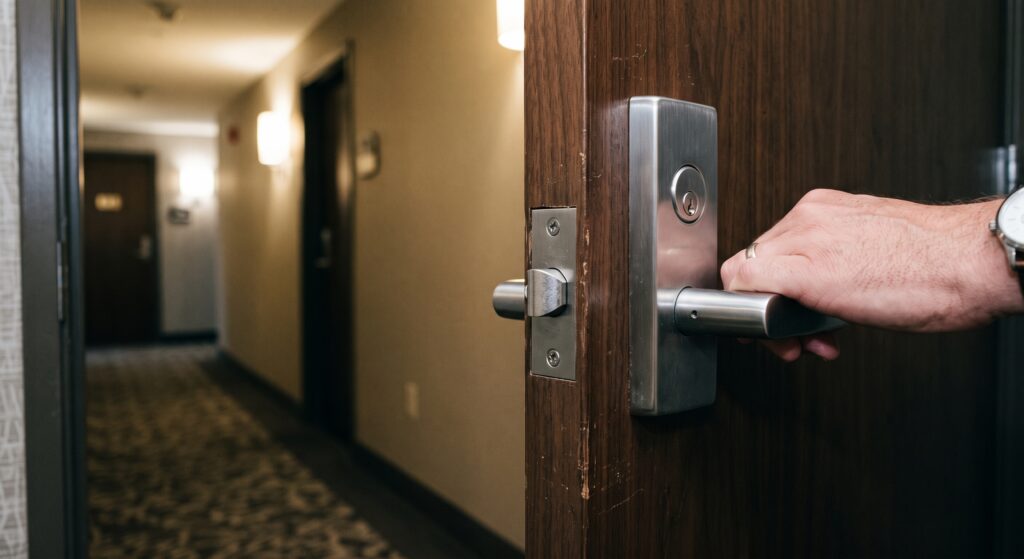
Start with a full inventory of everyone who can enter your room:
- You
- Any colleague or staff sharing the space
- Cleaning personnel
- Building maintenance
- The landlord or property manager
- Anyone holding a master key
Ask the landlord for that list directly, and ask whether entry is logged. A building where a master key circulates informally carries a different risk profile than one issuing individual credentials with an access record.
Get the answer before signing rather than after. Suites at SADA Med Suites use individually credentialed 24/7 access and video intercom entry, which resolves most of this category — but ask any landlord the same question and expect a specific answer.
Screens and Workstations
- Position monitors so no screen faces the door or a window
- Enable automatic lock after a short idle period, shorter than feels convenient
- Use a privacy filter if any screen is visible from the patient chair
- Never leave a workstation unlocked when stepping out, even briefly
- Clean desk at end of day — nothing with a name on it left visible
Records and Storage
Physical charts, intake forms, lab results, and anything printed need a locked home. Confirm with your landlord that you may install your own locks on cabinets and closets, and put it in the lease rather than accepting a verbal yes.
For practices sharing a room on alternating days, separately secured storage is not optional. A shared filing cabinet with a shared key is a problem waiting to surface.
Conversation Privacy
Sound transmission is a HIPAA consideration as much as a clinical one. Test it: have someone speak at conversational volume inside with the door closed, then listen from the corridor and the waiting area. Words you can make out mean patients can be overheard.
Solid-core doors with seals and a sweep handle more transmission than any wall treatment. A white noise machine outside the door covers the remainder. Acoustic foam treats echo inside the room and does nothing for transmission — the most common misunderstanding in this whole category.
Storage, Disposal, and Waste
The area small practices most often overlook entirely.
Disposal
- Shredding for anything with patient information — cross-cut, or a contracted service operating under a business associate agreement
- Never place identifiable information in general waste, including appointment reminders and envelopes
- Regulated waste handled per your services, with a contracted vendor if the building has no arrangement
- Device disposal — drives wiped or destroyed, never donated or resold intact
Ask the landlord about regulated waste specifically. General commercial landlords frequently have no arrangement, which leaves you contracting independently. Settle it before move-in.
Retention
New Jersey sets recordkeeping requirements by profession, published individually by each board under the Division of Consumer Affairs. Physicians and podiatrists licensed through the State Board of Medical Examiners face requirements distinct from those governing mental health clinicians or dentists.
Confirm your own board’s retention period rather than applying a general rule, since retention length determines how much secure storage you need — which in turn affects what suite size works. Our post on which professionals can rent a medical suite covers how board requirements vary across the professions renting small clinical space.
Devices and Network
Where physical and technical safeguards overlap.
Device Inventory
Maintain a written list of every device touching patient information — laptop, tablet, phone, printer, scanner, external drives. Documentation is itself a safeguard, and reconstructing a list after a loss is considerably harder than maintaining one.
For each device, record what it is, where it lives, who uses it, whether it’s encrypted, and how it gets disposed of at end of life.
Practical Controls
- Full-disk encryption on every device, without exception
- Screen lock with a short idle timeout
- Separate work and personal devices where feasible
- No patient information in consumer cloud accounts or personal email
- Physical security for portable devices — a laptop left in a rented suite overnight sits in space others may access
- Printers and scanners that store images need the same treatment as computers
Network Questions for Your Landlord
- Is WiFi shared across tenants, or is each suite separate?
- Can you get a private, dedicated connection?
- Who administers the network, and can they see traffic?
- Is there a guest network, and is it isolated from tenant traffic?
Shared networks are not automatically disqualifying. A private connection removes an entire category of question, and adding a dedicated line later depends on building infrastructure — so ask before signing.
Documentation and Policies
Compliance you cannot demonstrate is difficult to defend.
What to Write Down
- Policies and procedures covering privacy and security practices
- Risk analysis — a documented assessment of where your vulnerabilities sit
- Notice of Privacy Practices for patients
- Business associate agreements with every vendor touching patient information: EHR, billing service, shredding company, IT support, answering service, transcription
- Access records — who holds credentials to your space, updated when it changes
- Training documentation if you have staff, including refreshers
- Incident response plan covering what you do if something goes wrong
Where Your Landlord Fits
A commercial landlord is generally not a business associate, because renting space doesn’t involve handling protected health information on your behalf. Cleaning services entering your suite occupy grayer territory, and the safer approach is limiting their access to your clinical space rather than papering the relationship.
Document what you asked, what you were told, and what you decided. A written note that you confirmed access policies with the landlord on a given date is worth more than a memory of the conversation.
Setting Up Before You Open
Sequence matters, because several safeguards are cheaper to build in than to add.
Before Signing
- Ask the access, cleaning, network, and waste questions
- Test sound transmission yourself
- Confirm you can install your own locks
- Confirm the certificate of occupancy permits medical office use
- Get anything that matters into the lease
Before Your First Patient
- Install and secure storage
- Position and configure workstations
- Complete your device inventory
- Execute business associate agreements with every vendor
- Write your policies and complete a risk analysis
- Post your Notice of Privacy Practices
- Set up shredding and waste handling
Our step-by-step guide to starting a practice places this work in the wider launch sequence, and our cost breakdown covers what the compliance layer adds to a startup budget.
Annually After That
- Review and update your risk analysis
- Re-confirm who holds access to your space
- Verify business associate agreements are current
- Refresh training
- Audit what’s accumulated in storage and dispose of what’s past retention
Frequently Asked Questions
What are physical safeguards under HIPAA?
Measures protecting facilities, equipment, and devices from unauthorized access. The Security Rule groups them into facility access controls, workstation use and security, and device and media controls. In a small practice, that means access to your space, positioning of screens, secure storage, and how devices and records are handled and disposed of.
Can I be HIPAA-compliant in a shared office building?
Yes. Multi-tenant buildings are standard across healthcare. Compliance depends on the controls you implement — secured storage only you can reach, a clear record of who holds access to your suite, screens positioned away from view, and sound privacy sufficient that conversations don’t carry.
Is a shared waiting room a HIPAA violation?
No. HIPAA requires reasonable safeguards rather than complete isolation. Manage the exposure with scheduling buffers, text-on-arrival, and first-name-only greetings. The greater risk is clinical: a patient who encounters someone they know may disengage from care.
Do I need a business associate agreement with my landlord?
Generally no, since renting space doesn’t involve handling protected health information on your behalf. Vendors who do handle it — EHR provider, billing service, shredding company, IT support, answering service — all require one. Cleaning services entering your clinical space are worth addressing through access limits rather than an agreement.
How long do I have to keep patient records in New Jersey?
Requirements vary by profession and are published by each licensing board under the Division of Consumer Affairs. Confirm your own board’s period rather than applying a general rule, since retention length determines how much secure storage your practice needs.
What should I ask a landlord about HIPAA before signing a lease?
Who holds access credentials to your suite and whether entry is logged, whether cleaning staff enter and when, whether the network is shared or private, whether you may install your own locks on storage, how building entry is controlled, and what arrangement exists for regulated waste.
Does HIPAA require soundproofing?
No specific standard exists. The rule requires reasonable safeguards, and audible conversation carrying into a corridor or waiting area is a genuine exposure. Test transmission during the tour and negotiate a solid-core door with seals if the room falls short.
What documentation do I need for a solo practice?
Written policies and procedures, a documented risk analysis, a Notice of Privacy Practices, business associate agreements with every relevant vendor, a device inventory, an access record, and an incident response plan. Review annually and date every revision.
About SADA Med Suites
SADA Med Suites rents private, fully furnished medical office suites to independently licensed practitioners in downtown Englewood, New Jersey. Singles run 180 to 240 square feet and doubles run 325 to 470, with utilities, high-speed internet, cleaning, shared waiting area, in-suite sink, private climate control, video intercom entry, individually credentialed 24/7 access, and custom door signage included in one monthly payment.
Bring the access, cleaning, network, and waste questions from this article to any building you tour. We answer them in writing, because a tenant who can document their safeguards is a tenant with one less problem.
Ask us the hard questions. Browse available suites or book a tour. Call (347) 599-3372 — 50 E Palisade Ave, Fl 2, Englewood, NJ 07631.