

Key Takeaways
- Relocating your practice fails most often in the paperwork and the patient communication, not the physical move. Registrations, payer records, and online listings all have to follow you to the new address.
- Keep your phone number. Port it to the new location rather than starting over, since a new number breaks every listing, referral note, and saved contact at once.
- Start ninety days out. Several registrations must be updated before you see patients at the new address, and some take weeks to process.
Relocating Your Practice: What Makes a Move Go Wrong
Relocating your practice looks like a logistics problem — boxes, furniture, internet installation. The logistics are the easy part. Practices lose patients and revenue during a move for other reasons: a claim denied because the payer still lists the old address, a controlled substance registration that doesn’t match the new location, a Google listing sending patients to an empty office, and patients who never got the message.
Every one of those failures is preventable with a checklist and enough lead time.
Why Providers Move
The reasons vary, and each shapes the plan differently:
- Outgrowing the current space — more rooms, more providers, more storage
- Shrinking to cut overhead — moving from a large lease to a right-sized suite
- Lease ending with terms that no longer work
- Following patients to a location closer to where most of them live
- Leaving a sublease or shared arrangement for space of your own
- Parking, access, or building problems that are costing appointments
A move driven by growth can take its time. A move driven by a lease deadline cannot, which is why the timeline section below starts at ninety days.
Where Patients Get Lost
Patients drop off during a move at predictable points:
- They never hear about the move and show up at the old address
- They hear, but the new location feels too far or too unfamiliar
- They call the old number and nobody answers
- They search online and find outdated information
- Their first visit to the new office is confusing — wrong entrance, no parking, unclear signage
Each point has a fix. Most of them cost nothing but planning.
Choosing the New Space Before You Announce Anything
Nothing gets announced, registered, or updated until the new lease is signed. An address you can’t guarantee is an address you can’t give patients.
Evaluate the New Space Against the Move
The usual evaluation applies — size, sound, plumbing, parking, access hours. Our tour checklist covers it in order. For a relocation, add three questions:
- How far is it from where your current patients live? Map patient ZIP codes against both addresses.
- How soon can you occupy it? The answer sets your entire timeline.
- Can you overlap the two locations? A few weeks of overlap lets you move without canceling appointments.
Our town-by-town guide to Bergen County covers how parking, demographics, and hospital access differ across the county, and our guide to medical office space near the George Washington Bridge covers moves from New York.
Furnished Suite vs. Buildout
The type of space you move into determines how long the move takes.
| Furnished suite | Buildout | |
| Time to occupy | Days | 3–9 months |
| Overlap rent | Short, if any | Months of double rent |
| Furniture to move or buy | Minimal | All of it |
| Utility setup | Included | Separate accounts |
| Risk of delay | Low | Permits, contractors, inspections |
A buildout forces you to carry two locations for months or accept a gap in service. A furnished suite lets you plan the move around your schedule instead of a contractor’s. Our guide to turnkey suites covers what should be included, and our comparison of rental and leasing structures covers the commitment each one carries.
Resize While You Can
A move is the cheapest moment to change size. Before signing, run the numbers on your current and projected volume — our post on how many treatment rooms you need walks through the calculation. Many practices find they’ve been paying for rooms they don’t fill.
The Registration and Payer Checklist
The paperwork follows the address. Miss one item and the problem shows up weeks later as a denied claim or a compliance issue.
Licensing and Controlled Substances
- Licensing board — notify your board of the address change. Physicians and podiatrists update records through the State Board of Medical Examiners; other professions update through their own boards under the Division of Consumer Affairs.
- DEA registration — tied to the physical address. Request a modification before the move, and don’t store, administer, or dispense controlled substances at the new location until it’s approved.
- New Jersey CDS registration — update alongside the DEA registration.
Some boards set specific patient-notification rules when a practice moves or closes. Check yours before drafting the announcement.
NPI, Medicare, and Commercial Payers
- NPPES — update the practice location on your NPI record. Federal rules require NPI changes to be reported within 30 days.
- Medicare — report the change of practice location through PECOS, within the 30-day window Medicare sets for location changes.
- Medicaid — update the service location with the state program if you participate.
- Commercial payers — add the new service location to each contract. Claims billed from an unlisted address can be denied.
- CAQH — update your profile, since many payers pull from it.
Start the payer updates as soon as the lease is signed. Processing times vary, and you want every contract showing the new address before your first appointment there.
Insurance and Business Registrations
- Malpractice carrier — notify them and confirm coverage at the new address
- General liability and property insurance — update the insured location
- Business registration — update with the New Jersey Division of Revenue if the business address changes
- Municipal requirements — some towns require business registration or a certificate of occupancy review for new tenants
- Bank, payroll, and tax accounts — update the business address
Telling Patients Without Losing Them
Patient communication decides how many patients follow you. Say it early, say it often, and make the new address easy.
What to Say
Every announcement should include:
- The new address, including suite number and floor
- The date of the first appointment at the new location
- Parking instructions — where to park, which entrance, which elevator
- Confirmation that the phone number stays the same
- Whether telehealth remains available
- A contact for questions
Keep it short. Patients read the address and the date. Put both at the top.
When to Say It
| Timing | Channel |
| 60 days before | Announcement email or letter to all active patients |
| 30 days before | Reminder, plus notice posted at the current office |
| 2 weeks before | Note added to every appointment confirmation |
| Every appointment after the move | New address and parking instructions in reminders |
| Move week | Sign at the old location pointing to the new one, if the landlord allows |
Front-desk staff should mention the move to every patient who comes in or calls during the final month. Repetition is what keeps patients from arriving at an empty office.
Keep Your Phone Number
Port the number to the new location. A new number breaks your Google listing, directory entries, referral partner records, and every patient’s saved contact at once. Porting a business line usually takes days to a couple of weeks, so start it early and confirm the transfer date before the move.
Moving Records, Devices, and Equipment
Physical moves are where patient information is most exposed.
Records Custody
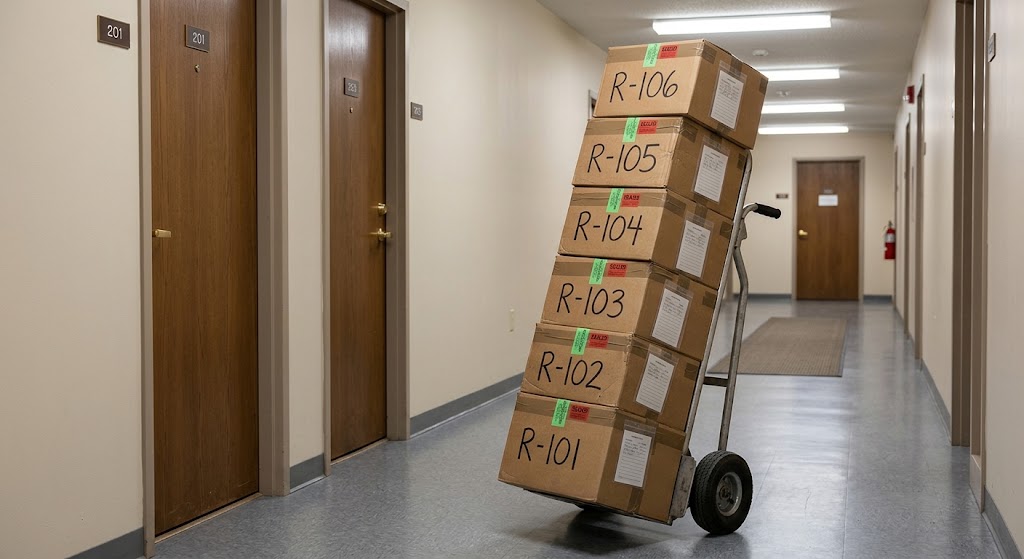
Paper records in boxes, in a vehicle, in a hallway during unloading — every step is a moment of exposure. The HIPAA Security Rule’s physical safeguards cover device and media controls, including the movement of hardware and media containing patient information, per the HHS summary of the Security Rule.
Practical steps:
- Move records yourself or with a vendor under a business associate agreement, never with general movers alone
- Seal and number every box, and keep an inventory of what’s in each
- Never leave records unattended in a vehicle or hallway
- Consider digitizing before the move — fewer boxes and a lower risk of loss
- Dispose of records past retention properly, by shredding, before you pack
Devices
- Back up every device before it’s unplugged
- Confirm full-disk encryption on laptops and drives
- Keep devices with you during transport
- Wipe or destroy any hardware you’re retiring rather than moving
Set Up Compliance at the New Space
Ask the new landlord who holds access to your suite, whether cleaning staff enter, whether the network is shared, and whether you can install your own locks on storage. Our HIPAA-compliant office setup checklist covers the full list.
Updating Your Online Presence
Patients who search for you after the move need to find the new address, not the old one.
Google Business Profile
Update the address on your existing profile rather than creating a new one. Editing the existing profile keeps your reviews, photos, and history; a new profile starts from zero. Expect Google to require re-verification after an address change.
Google requires businesses showing an address to operate from it and maintain permanent signage with the business name, per Google’s guidelines for representing your business. Confirm the suite door nameplate and building directory listing are in place before verification. Our guide to setting up a Google Business Profile at a shared address covers verification in a multi-tenant building.
Time the change to the move date. Updating too early sends patients to a location you haven’t opened; updating late sends them to one you’ve left.
Website, Directories, and Consistency
Update the address everywhere it appears, in the same format each time:
- Website header, footer, contact page, and location page
- Structured data markup on the website
- Healthcare directories and insurance provider directories
- Professional association listings
- Social media profiles
- Email signatures, letterhead, forms, and intake paperwork
- Referral partners’ records
Inconsistent address formats across the web weaken local search rankings. Pick one format — the one on your Google Business Profile — and use it everywhere.
A Relocation Timeline
Work backward from your first day at the new address.
90 Days Out
- Sign the new lease
- Confirm your notice obligations on the old lease
- Begin DEA and CDS modification requests
- Start payer location updates and CAQH changes
- Notify your licensing board
- Start the phone number port
60 Days Out
- Send the first patient announcement
- Notify malpractice and business insurance carriers
- Book movers or a records vendor under a business associate agreement
- Order signage for the new suite door and directory
30 Days Out
- Send a reminder to patients
- Post notice at the current office
- Update NPPES and Medicare records to align with the move date
- Confirm internet, phone, and scheduling systems at the new space
Move Week
- Move records and devices under controlled custody
- Update Google Business Profile, website, and directories
- Confirm signage is installed
- Place a notice at the old location if permitted
After the Move
- Confirm every payer shows the new location before billing
- Watch for returned mail or bounced notifications
- Monitor claims for denials tied to location
The First 60 Days at the New Address
The move isn’t finished on moving day. Watch the first two months closely.
What to Track
- No-show rate — usually rises briefly at a new location
- Patients lost — compare active patients before and after
- Denied claims — any tied to location point to a missed payer update
- Search visibility — confirm the Google profile shows the new address and verification is complete
- Where new patients are coming from
Smooth the First Visit
Send parking and entrance instructions with every reminder for the first two months. Walk the route from the parking lot to your door and fix anything confusing — a missing directory listing, a hard-to-find elevator, an unmarked suite.
The first visit to a new location sets whether a patient comes back. Make it easy.
Frequently Asked Questions
How far in advance should I plan to relocate my practice?
Ninety days is a sound minimum. DEA modifications, payer location updates, and phone number ports all take time, and several must be complete before you see patients at the new address.
Do I need to update my DEA registration when I move?
Yes. DEA registration is tied to your physical address. Request a modification before the move, and don’t store, administer, or dispense controlled substances at the new location until it’s approved. Update your New Jersey CDS registration as well.
How do I tell patients my practice is moving?
Send an announcement about sixty days ahead with the new address, first date at the new location, parking instructions, and confirmation that your phone number stays the same. Follow with reminders at thirty days and two weeks, and include the new address in every appointment reminder after the move.
Should I create a new Google Business Profile when I move?
No. Update the address on your existing profile so your reviews and history carry over. Expect to re-verify, and make sure signage is in place at the new address first.
What happens if a payer still lists my old address?
Claims billed from a service location not on the contract can be denied. Add the new location to each payer contract as soon as the lease is signed, and confirm the update before billing from the new address.
Can I keep my phone number when I relocate?
In most cases, yes. Port the number to the new location. A new number breaks your listings, referral records, and patients’ saved contacts all at once.
How do I move patient records safely?
Move them yourself or with a vendor working under a business associate agreement, seal and inventory every box, and never leave records unattended. Digitizing before the move reduces both volume and risk.
How long does it take to move into a furnished suite?
Days, in most cases. Furniture, utilities, and internet are already in place, so the timeline depends on your registrations and payer updates rather than construction.
About SADA Med Suites
SADA Med Suites rents private, fully furnished medical office suites to independently licensed practitioners at 50 E Palisade Avenue in downtown Englewood, New Jersey. Singles run 180 to 240 square feet and doubles run 325 to 470, with utilities, high-speed internet, cleaning, shared waiting area, in-suite sink, private climate control, video intercom entry, secure 24/7 access, and custom door signage included in one monthly payment.
For a practice on the move, a furnished suite shortens the overlap between two locations to days. Signage on the door and the building directory is in place for Google re-verification, and municipal parking nearby gives patients an easy first visit.
Plan your move. Browse available suites or book a tour. Call (551) 230-7668 — 50 E Palisade Ave, Fl 2, Englewood, NJ 07631.